
10 Popular Email Apps for Android

Once you start looking for email apps for Android, it’s easy to get overwhelmed. That’s why we’re here with a breakdown of 10 popular email apps for Android!
By finding the email app that best suits your needs, you’ll be able to get the most out of both the app and your Android device.

1. Gmail
How Much Does it Cost?
Gmail is free up to 15 GB per user for personal use.
There is also a paid option which starts at $9.99 per user per month.
With this, in addition to the 15 GB, you also have access to a better calendar which you can schedule appointments in, personalized live support if you need it, and up to 100 participants over 24 hours when you use Meet video conferencing.
Features
It’s very likely that this app already came installed on your Android phone, but it’s on our list because it’s one of the top email clients out there.
Here are some of the features:


✔️ 15 GB of free online storage
✔️ Integration with other Google products, such as Google Drive, Google Photos, Google Docs, etc.
✔️ Attachment file size limit is 25 MB, which is huge
✔️ Your emails use AI to separate your themselves into different inboxes (Primary, Social, Promotions)
✔️ You can customize your inbox
✔️ Confidential mode, which allows you to set message expiration dates, protect emails with SMS codes, or revoke access at any time
✔️ Snooze and schedule emails
✔️ Receive ‘nudges’ to remind you to follow-up on emails
✔️ Supports multiple inbox settings and multiple accounts
✔️ Supports most email services, including Yahoo, Outlook, and more
✔️ Excellent spam filters
AI Features
✔️ Smart Reply: Gmail scans all your emails and uses that information to provide quick responses.
✔️ Smart Compose: Gmail uses AI to help you generate emails according to your writing style.
✔️ Automated Messages: Powered by Google’s proprietary AI, Gmail can compose automated messages in Gmail, text messages, and other Google apps.
✔️ Help Me Write: Gmail can use AI to help you write a new draft. This feature can create entire email drafts for you based on simple prompts. It uses generative AI large language models to interpret your prompt and decide what combination of words best represents your request.
Why Use It?
With over 1.2 billion people using it, Gmail is the most popular email app. That means if there’s a problem, they will solve it- and fast!
It has a clean, minimalist design, which matches with the web client. In addition to this, there are several swipe gestures in the app which can increase your productivity when dealing with mail on the run.
Gmail is popular for a reason. The question, really, is: Why not use it?
Pros
👍 Integrates with other Google products
👍 Well-known and reliable
👍 Masses of free storage space
👍 Is very likely already installed on your Android phone
Cons
👎 The design of the app often changes, as Google continues to tweak its usability and new features
👎 Some of the web features don’t work as seamlessly on the Android app
👎 Ads are very noticeable
👎 Some users may have privacy concerns.
Best For…?
Those looking for a no-fuss, no-frills email client- particularly if you already use Gmail!

2. Edison Mail
Winner of the Google Play Store 2017 Android Excellence Program, Edison Mail is an elegant alternative to the Gmail app.
How Much Does it Cost?
Free (includes unlimited email accounts and built-in email concierge).
Features include:
✔️ Integration with Gmail, Yahoo Mail, AOL Mail, Hotmail, Outlook, Exchange, IMAP, Alto, iCloud, and more
✔️ A smart personal assistant that sorts and manages your emails for you
✔️ A dark mode for nighttime use
✔️ Inbox touch gestures are customizable
✔️ Reformats messages so that it can only show the most important information on emails such as bills or check-ins
✔️ Moves all of your subscriptions to a single tab, allowing you to unsubscribe quickly and easily
AI Features
✔️ Verify Sender: This feature uses an AI-based method to run a handshake with the sender’s email server. If the server doesn’t send back an acceptable response, the app notifies you that the email might be suspicious.
✔️ Update Contacts: This feature checks that the contact information on your device matches the ones in the sender’s email. If something has changed, you’d be prompted to update it with a single tap.
✔️ LinkedIn Discovery: This feature allows you to quickly access a contact’s LinkedIn profile, as Edison Mail+ will search for it and show a link at the top of the message.
✔️ Deep-Scan Protection: Powerful AI-based deep-scan protection detects, warns, and verifies potential email attacks when they enter your inbox.
✔️ Contact Recognition: Built-in contact recognition lets you block spam calls+texts, and identifies who is contacting you.
Why Use It?
Really, it’s the intelligent email concierge, for us. This is an incredible bit of intelligent wizardry in an email app that makes it all worth it!
Pros
👍 Elegant design
👍 Intelligent email concierge makes managing your inbox easy
👍 Dark mode helps make the app easy on the eyes
👍 Great spam filters
Cons
👎 App has a bit of a history of being a little buggy, especially when newer features (such as the dark mode) have been introduced.
Best For…?
Those who have way too many spam subscriptions, and you just want to clean them up!
Or, for those who use their email for many different situations, the AI personal assistant will become your new best friend for managing email.
3. Cleanfox
How Much Does it Cost?
Free.
Features
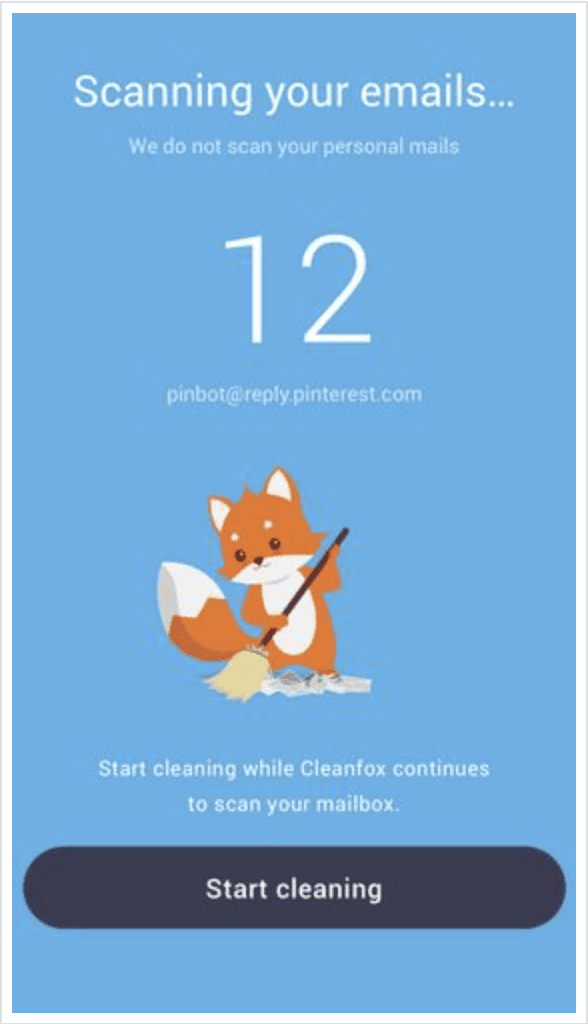
So, Cleanfox isn’t exactly an email client app- but rather an app that can assist with tidying up your inbox!
It trawls through your email, finds all of your subscriptions, and can then help you unsubscribe from them if so desired.
Essentially, if you took Edison Mail and just kept the AI personal assistant, Cleanfox is what you’d get.
Why Use It?
If you’re happy with your email client and just want to get rid of your thousands of subscriptions, that’s where Cleanfox can come in.
The only real downside is that it is a little buggy.
Best For…?
Anybody who has a million subscriptions they can’t face unsubscribing from one-by-one.
4. Yandex.Mail
How Much Does it Cost?
Free.
Features
Yandex.Mail is a free email client provided by Russian company Yandex. Essentially, it’s the Russian version of Gmail.
Here are its features:
✔️ 10 GB of free storage space
✔️ Supports email attachments over 25 MB
✔️ Integrates with Yandex.Disk, Yandex’s cloud service
✔️ Message templates, reminders, e-cards, and keyboard shortcuts are all available
✔️ It can translate your composed emails into other languages automatically
✔️ Filters can help you organize your inbox more efficiently
Why Use It?
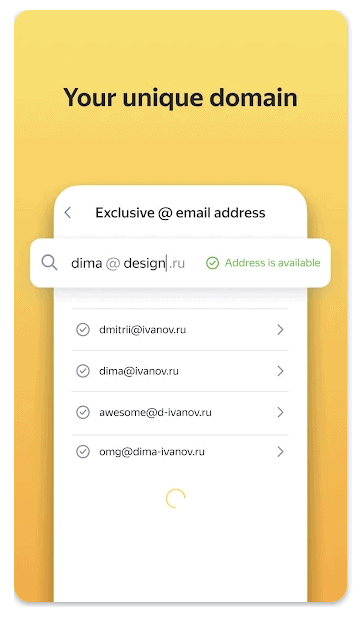
If you have a name that’s always taken on other email servers, you’re likely to find it available on Yandex.Mail.
Pros
👍 Much the same functionality as Gmail- just Russian
👍 Built-in spam protection
👍 Dark theme available
👍 Can integrate with Yandex.Disk
Cons
👍 May have minor translation issues from time-to-time
Best For…?
The Bob and Jane Smiths of the world!
5. K-9 Mail
How Much Does it Cost?
Free.
Features
K-9 Mail is an open-source community-driven email client.
Its features include:
✔️ Good support for IMAP, POP3, and Exchange 2003/2007
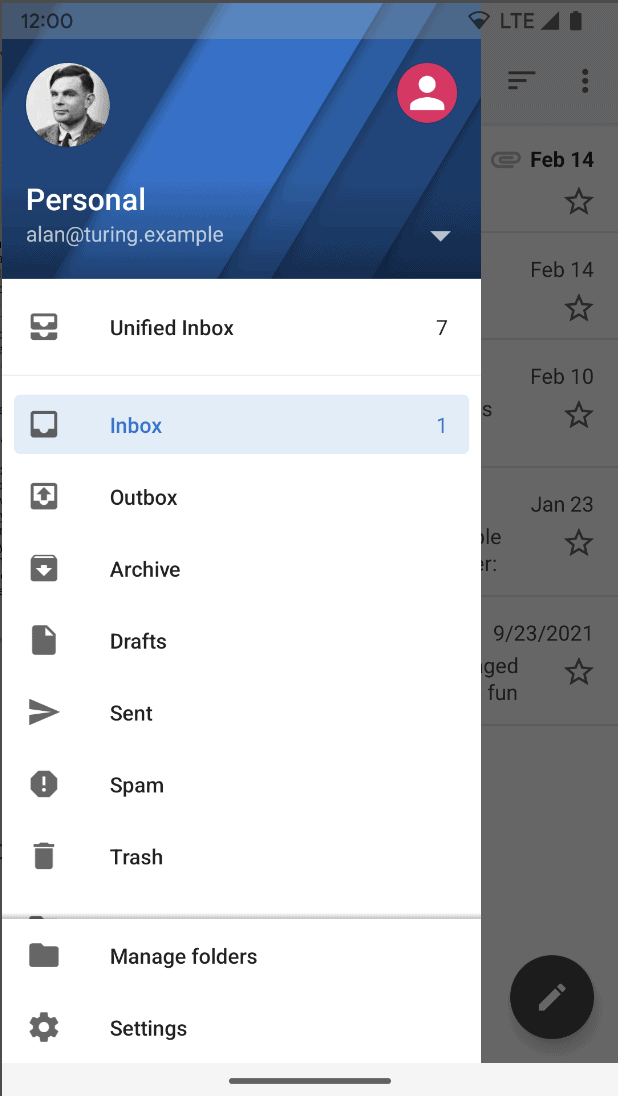
✔️ Ability to support multiple accounts
✔️ Hosted on GitHub and completely free
✔️ Has search, BCC-self, multi-folder sync, signatures, filing, flagging, IMAP push email, PGP/MIME features, and more
Why Use It?
As an open-source software email client, this means that it’s created by the community for the community.
If you’re a fan of staying away from the bigger companies, this could be the app for you.
Pros
👍 Completely free
👍 Community-driven email app
👍 Supports multiple accounts
👍 No trackers, and only connects with your email provider
👍 OpenPGP email encryption keeps your data private
👍 Has hybrid email search function
Cons
👎 Hasn’t been updated since September 2018
👎 Latest Android operating systems have reported issues with email synchronization, notifications, and authentication
Best For…?
Those with an older Android phone.

6. BlueMail
How Much Does it Cost?
Basic version is free, and you can upgrade to either the Business plan ($4.49 per user) or the Enterprise plan ($6.99 per user).
Features
BlueMail is a free email app which is an excellent contender on this list.
Its features include:
✔️ Support for practically all email providers
✔️ Customizable mobile notifications
✔️ Rich text signatures
✔️ Integrated calendar
✔️ Various widgets
✔️ Ability to mark emails to deal with later
✔️ Instant push notifications
✔️ Organize your inbox into clusters to help declutter your inbox
✔️ Unlimited accounts
✔️ Ability to backup, restore, and transfer your accounts and settings between multiple devices
✔️ Dark theme available, as well as a color picker for your own custom theme
✔️ Lots of different design options and customization available
✔️ Compatible with Android Wear
AI Features
BlueMail uses AI in its Generative Email feature, known as BlueMail GEM AI12. Here’s how it works:
✔️ Writing Assistance: The AI helps users write better emails quickly.
✔️ Email Summarization: BlueMail GEM AI can provide condensed summaries of long emails.
✔️ Response Suggestions: The AI also suggests responses based on the context, making communication more efficient.
Why Use It?
The ability to merge and synchronize multiple inboxes means that you spend less time digging through multiple inboxes trying to find what you’re looking for.
Pros
👍 Is able to synchronize multiple inboxes
👍 Integrated calendar
👍 Unique email management features
👍 Has a dark theme
👍 Ad-free
👍 Intuitive UI and handy navigation features
👍 Find friends, family, and customers quickly and easily by using the People Switch function in your inbox
👍 Excellent security functions with SSL and STARTTLS
Cons
👎 Has a steep learning curve
👎 Can be buggy at times, especially just after an update, requiring your to uninstall and reinstall
👎 Potential privacy issue as it uses its own servers
Best For…?
Those with multiple inboxes, needing to consolidate.

7. Aqua Mail
How Much Does it Cost?
Free, with in-app purchases.
Features
Aqua Mail is a relatively new Android email app.
Its features include:
✔️ Ability to connect other email accounts
✔️ Ability to backup and restore emails by connecting Aqua Mail to different cloud hosts
✔️ Smart folders
✔️ Calendar sync for Exchange and Office 365
✔️ Ability to use different email signatures across different accounts
✔️ Home screen widgets
✔️ Integrates with Android Wear
✔️ Ability to use voice input from an Android Wear smartwatch to reply to emails instantly
Why Use It?
Aqua Mail is the app for the savvy tech Android user. It has plenty of useful and new features which any tech lover will appreciate.
Pros
👍 Supports modern authentication methods
👍 Works with Android Wear devices
👍 Lots of useful features which will become invaluable
👍 Integrates with other Android apps, such as Light Flow, Apex Launcher, and Tasker
👍 Rich text editor
👍 Widgets available
👍 Theme customizations available
👍 Intuitive, easy navigation
👍 Display is customizable
Cons
👎 Many of the features are only available by in-app purchase, and they can be quite pricey
👎 Aqua Mail promo signature on the free version
👎 Advertising on the free version
👎 No calendar integration
Best For…?
Those with an Android Wear smartwatch, looking for an app that can synchronize with it for emailing on the go.

8. VMware Boxer
How Much Does it Cost?
Free 30-day trial, after which there’s a monthly fee.
Features
An all-in-one email app, combining email, calendar, and contacts into a single interface.
Its features include:
✔️ Swipe actions to quickly archive, trash, or spam emails
✔️ Bulk editing
✔️ Quick reply function
✔️ Supports calendar integration
✔️ Let’s you share availability to join conference calls
✔️ Has touch ID and PIN support features
Why Use It?
It’s one of the newer apps on the market, and all of its bugs are bound to be worked out over time.
The customization ability means that you can make it work for you- as long as you’re willing to be patient and put the time in.
Pros
👍 Swipe gestures can be customized
👍 Smart organization of emails in bulk
👍 Supports multiple email accounts
Cons
👎 As a relatively new app, still has some bugs to work out and crashes occasionally
👎 UI is cluttered
👎 Can be a bit overwhelming to deal with
Best For…?
Those with a high volume of work emails.

9. Microsoft Outlook
How Much Does it Cost?
Free.
Features
These days, Microsoft Outlook is a very good and user-friendly email client for Android.
Here are its main features:
✔️ Compatible with Microsoft Exchange, Office 365, Gmail, and Yahoo Mail
✔️ Windows users can use their Outlook account as their Windows account
✔️ Lightweight, trimmed down version of the desktop client
✔️ Integrates with Microsoft calendar
✔️ Simple UI and easy-to-configure features
✔️ A Focused Inbox so that you can ignore spam
✔️ Has a feature where Outlook can play your emails or appointments out loud
AI Features
✔️ AI Copilot for Outlook: This feature can analyze email content and generate a response based on what the user asks for. It helps users craft clever responses without switching back and forth between different tabs.
Why Use It?
It’s simple, but that might be exactly why you love it! It strips back all of the fancy features and makes it easy for you to just read and send emails.
Pros
👍 User-friendly UI
👍 Compatible with Microsoft Exchange
👍 Able to auto-sort your emails in order of importance
👍 Has a dark mode
👍 Integrates with Teams, Zoom, and other video messaging providers
Cons
👎 You can’t add photos as an attachment, only embedded in the email
👎 Ads appear at the top of your inbox if you’re on the free version
Best For…?
Windows users.

10. TypeApp Email
How Much Does it Cost?
Free.
Features
TypeApp Email is a good alternative to Gmail.
Its features include:
✔️ Supports unlimited accounts for most email services
✔️ Sync multiple accounts from different providers into a unified inbox
✔️ Instant push notifications
✔️ Rich text emails
✔️ Wireless printing support
✔️ Good Material Design UI
✔️ Full visibility in thread of emails to make conversations easier
✔️ Widgets available for your homescreen
✔️ Usable offline
✔️ Ability to set emails for later or mark as done
✔️ Ability to set a timed lock screen for privacy.
Unique Selling Point
With a friendly UI design, TypeApp Email is just that much more customizable than Gmail.
If you’re looking for a clean, slick email app, then TypeApp Email could be it!
Pros
👍 Android Wear OS support
👍 Dark mode available
👍 Theme and customization features available
👍 Shared Group feature allows you to control who your emails go to
👍 Calendar sync feature integrates with Android Wear
👍 Configurable menus
Cons
👎 It falls on the slightly basic end of the rest of the email apps on this list, but is still perfectly fine.
Best For…?
Those looking to replace their Gmail app!
Wrapping Up
When looking for an email app, you’ll need to think about what best suits your needs.
Are you a staunch Gmail user? Then the Gmail app is still probably best for you.
Are you looking for an intelligent virtual assistant? Edison Mail could be the solution.
While there will be no one-size-fits-all email app, there are plenty of popular email apps for Android out there to offer you just the right features you’re looking for.
Do you use any of the above apps, or do you use a different one that you think should be on this list? Sound off in the comments below and let us know!
Sources
- https://bluemail.me
- https://clean.email/best-email-apps-for-android
- https://zapier.com/blog/best-android-email-app
- https://www.androidpolice.com/best-email-apps-for-android
- https://www.mailmodo.com/guides/android-email-client
- https://www.androidauthority.com/best-android-email-apps-579368
- https://typeapp.com/features
- https://www.tomsguide.com/best-picks/best-email-apps
- https://www.mailmodo.com/guides/android-email-client
- https://www.rightinbox.com/blog/best-email-apps-for-android
- https://www.lifewire.com/best-email-apps-for-android-4177577
- https://www.mobileappdaily.com/best-email-apps-for-android
- https://www.lifewire.com/yandex-mail-review-1170798